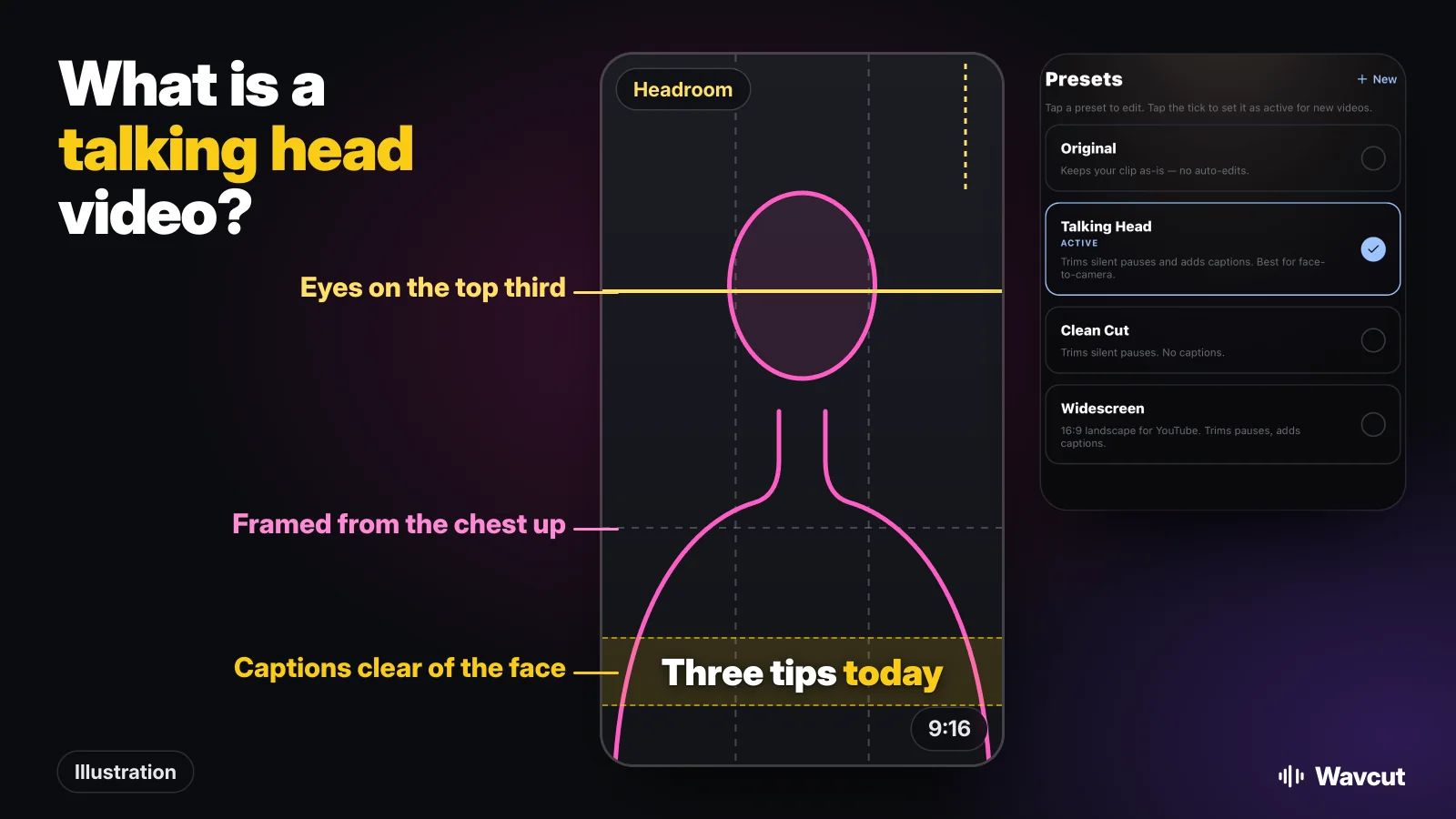
A talking head video is a video of one person speaking straight to the camera, usually framed from the chest up, with little else in the shot. Most tutorials, explainers, product reviews and coaching clips on YouTube, TikTok and Reels are made this way, because all it takes is a phone, a quiet room and something to say.
What does "talking head" mean?
The phrase comes from television. Wiktionary defines a talking head as a journalist or pundit on television who presents or discusses the issues of the day, and suggests the name stuck because the camera often zooms in on the speaker's head. One of its quotes, from 1989, says early TV newscasts "consisted largely of talking heads".
German Wikipedia describes the camera side of it: a talking head shot shows only the head and part of the upper body, and it is common in news, documentaries and advertising. Online, the term moved from the newsroom to anyone who films themselves talking to the lens.
What does a talking head video look like?
The picture at the top of this page sums up the usual framing. In a vertical 9:16 video the speaker fills the middle of the frame from the chest up. A little space stays above the head, the eyes sit near the upper line of a three-by-three grid, and the lower part of the frame is left for captions so they never cover the face. The background is plain or relevant to the topic, and the speaker looks into the lens, not at the screen.
How is a talking head different from other video formats?
The word now covers more than it used to. While researching this page on November 11, 2026, we found that many search results, especially in Japanese, use "talking head" for AI-generated avatar videos made from a photo or a script. This guide is about the original meaning: you, filmed by your own camera.
| Format | Who is on screen | What the edit is mostly about |
|---|---|---|
| Talking head | You, speaking to the lens | Cutting pauses, adding captions, a few cutaways |
| Interview | A guest who looks at an interviewer, off to one side | Picking answers, cutting between speakers |
| Voice-over (faceless) | Nobody; your voice runs over other footage | Filling the whole picture with b-roll |
| AI avatar video | A generated face reading a script | Writing the script; there is no real take to edit |
If you would rather not be on camera at all, our voice-over guide and faceless channel ideas cover the other route.
Why do creators make talking head videos?
Mostly because they are cheap and fast to make. There is one camera, one person and no set to build, so a creator can film several videos in an afternoon. The format also carries trust: a viewer sees who is speaking and hears it in their own voice, which matters for advice, reviews and teaching. And it suits phones. A face filling a vertical screen reads well at the size people watch Reels and Shorts.
The weak spot is pace. One person talking for a minute with every breath left in feels slow, which is why the editing below matters more than the camera.
How do you film a talking head video on iPhone?
- Turn on the grid. Apple's steps: open the Settings app, tap Camera, then turn on Grid and Level. The lines help you keep your eyes near the upper third and the phone straight.
- Hold the phone upright for Reels, Shorts and TikTok, at eye height on a stand or a stack of books, so the lens looks at you and not up your nose.
- Face the light. A window in front of you beats a lamp behind you.
- Record somewhere quiet and keep the phone close enough that your voice is clear.
- Talk in short sentences and pause between them. Do not stop the recording to restart a line; say it again and keep going. Every pause and false start comes out in the edit.
How do you edit a talking head video?
Three jobs cover most of it. First, cut the pauses: each removed pause leaves a jump cut, the small jump of the head that viewers of short videos are used to. Second, add captions, since many people watch with the sound off. Third, if the jumps start to feel busy, lay some b-roll over a few of them.
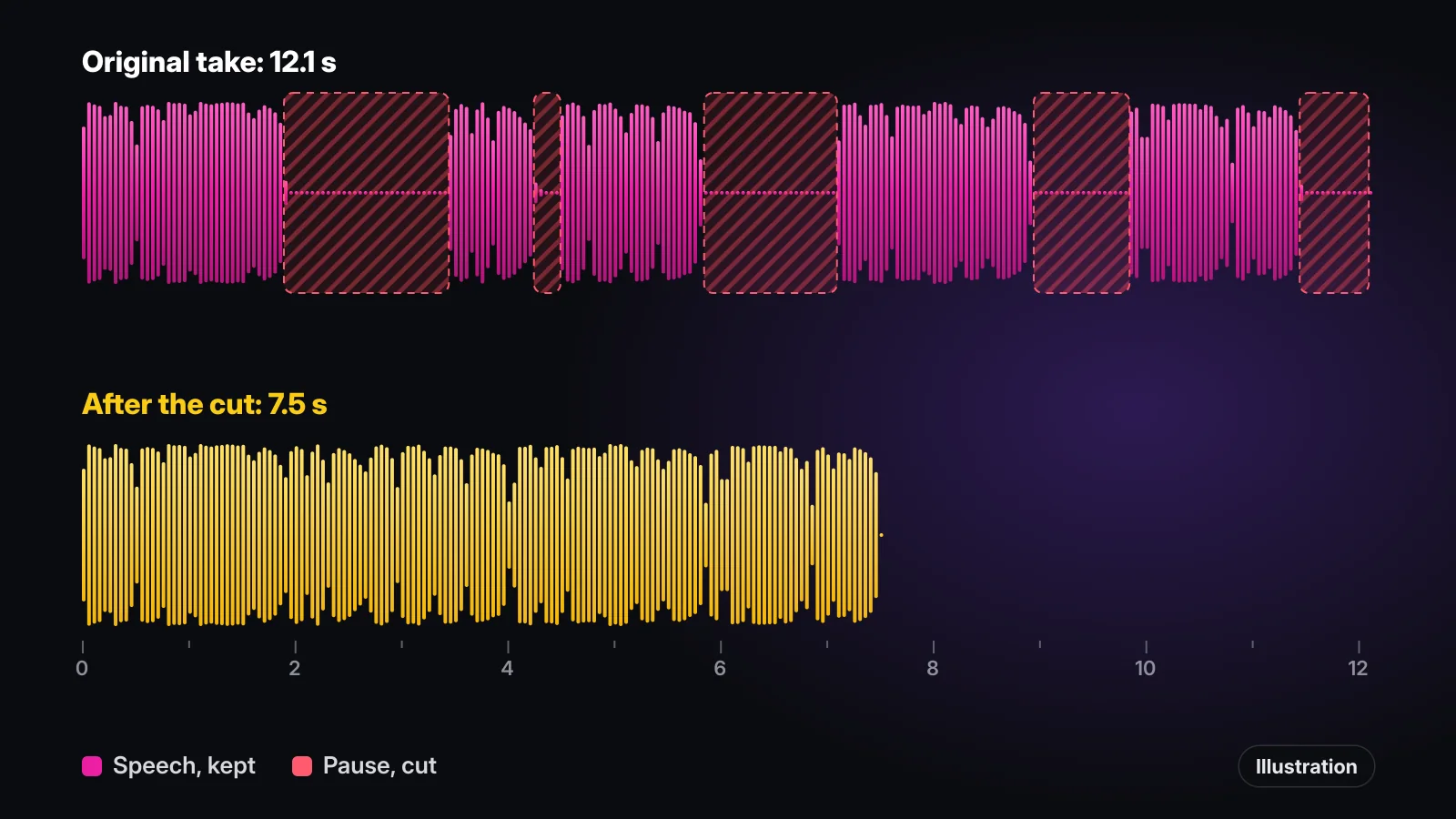
To show how much the first job alone changes, we measured the 12.1 second sample voice-over from our App Store preview. It has four pauses between sentences and a short silence at the end. With all of them cut it runs 7.5 seconds, nearly 40 percent shorter, without a word of the script removed. A talking head take behaves the same way; the only difference is that the jumps are visible.
In iMovie each pause is two splits and a delete: tap the clip, tap the Actions button, tap Split where the pause starts, split again where it ends, then tap the piece in between and tap Delete. That is fine for a few cuts and slow for a few dozen.
Is there an app that edits talking head videos automatically?
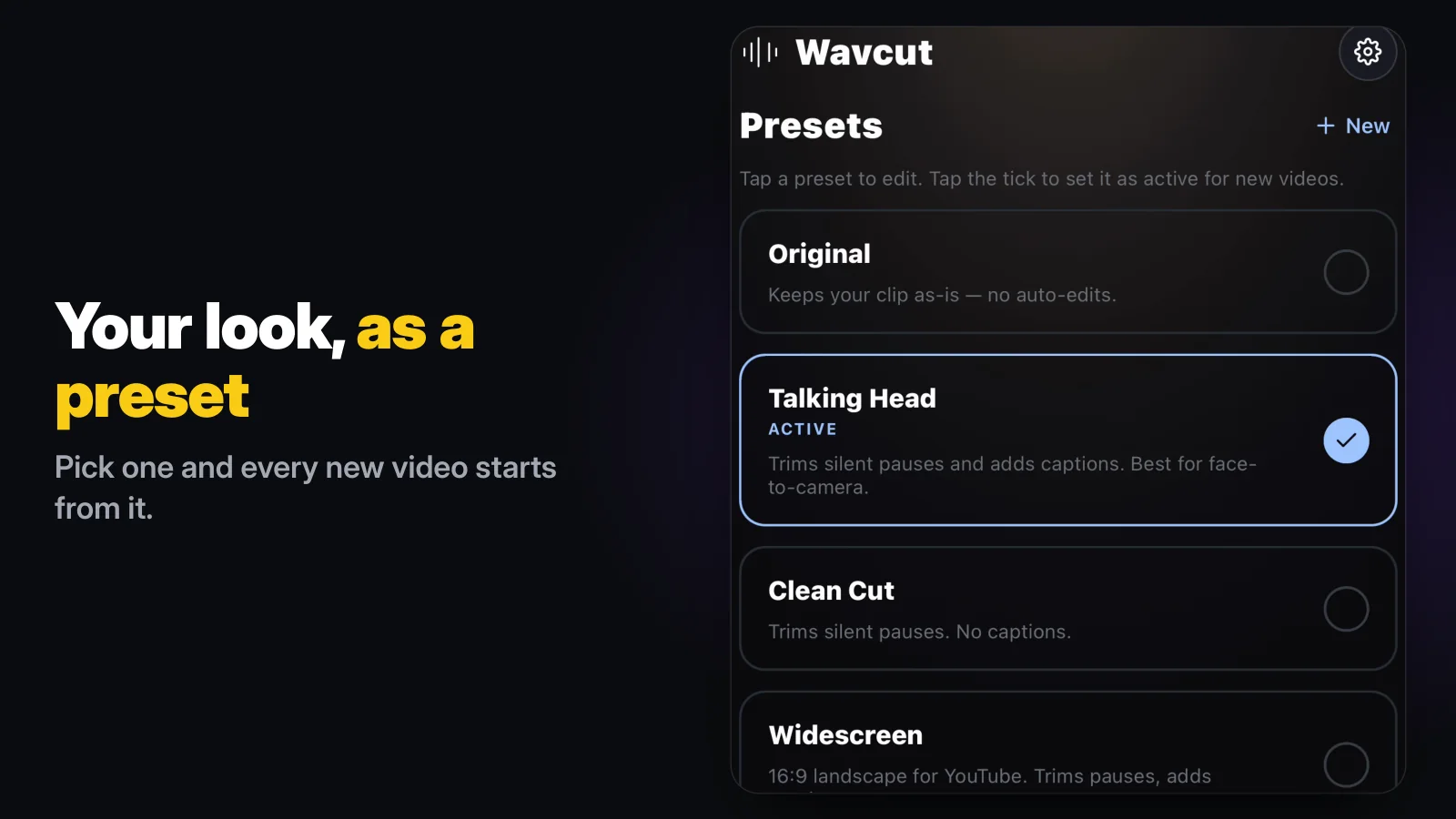
Wavcut is built for this format, and its default preset is even called Talking Head. Every new video starts from the active preset. With Talking Head, the app cuts the silent pauses on your iPhone and adds captions to a 9:16 video in one pass. B-roll is off in the starter preset; add your own collections to it and the preset also places cutaways over the take. Every cut and caption lands on a normal timeline, so you can turn a cut back off or fix a word.
Checked on November 11, 2026, against Apple's iMovie support page. Wavcut is our app; its column comes from the product, limits included.
| Job | iMovie | Wavcut (Talking Head preset) |
|---|---|---|
| Cut every pause | Split, split again, Delete, for each pause | One pass on the iPhone |
| Keep one pause after all | Undo, or redo that part by hand | Turn that cut off on the timeline |
| Cover jumps with b-roll | Add each cutaway by hand | Placed from your collections once you add them to the preset |
| Price | Free | Free to start; Free exports above 720p carry a watermark |
The limits, so you can decide before you install: Wavcut is iPhone-only for now and has no speed control. On Free, captions run on the device for 3 videos a month, 720p exports are clean and higher resolutions carry a watermark. Pro and Max send the clip's audio, not the video, for AI captions in 60+ languages. If you are comparing editors, our Wavcut vs CapCut comparison goes feature by feature.