A UGC creator is someone a brand pays to make videos that look like they came from an ordinary customer: a review filmed to camera, an unboxing, a quick demo at the kitchen table. The brand gets the files and posts them itself, on its own accounts or as ads.
Interest in the role is climbing fast. In our keyword data (DataForSEO, US Google searches), "what is a UGC creator" went from 2,900 searches in October 2025 to 12,100 in September 2026, about four times as many in a year.
What does UGC mean?
UGC stands for user-generated content. Wikipedia defines it as content made by users of the internet, such as images, videos, audio, text and testimonials. In its original sense nobody is paid: a customer posts a photo of a new mug because they like it. Wikipedia's section on marketing even notes that these creators typically do not work with specific brands, which is what makes their posts feel authentic.
The job title borrows that feeling. A paid UGC creator makes content with the look of a real customer post, on purpose, for a fee. So when people ask what a UGC creator is today, they almost always mean the paid version.
What does a UGC creator actually make?
Mostly short videos for Reels, TikTok and YouTube Shorts, filmed on a phone. The common formats:
- A talking head review: you, speaking to the lens about why you use the product.
- An unboxing or first impression, hands and product in shot.
- A demo: the product doing its job, step by step.
- A voice-over on top of product shots, for creators who prefer not to show their face.
Along with the finished video, briefs often ask for several opening lines (hooks) to test against each other, a version without captions, or the raw clips so the brand's team can recut them. Close-ups of the product, the kind of footage film people call b-roll, are part of nearly every delivery.
How is a UGC creator different from an influencer?
The difference is what the brand pays for. As of November 12, 2026; the disclosure row follows the FTC page listed under Sources:
| Customer UGC | Paid UGC creator | Influencer | |
|---|---|---|---|
| Who posts it | The customer | The brand | The influencer, on their own account |
| What the brand pays for | Nothing | The video and the right to use it | Reach to the influencer's audience |
| Do followers matter? | No | Much less than the video | Yes, that is the product |
| Disclosure | None needed if no link to the brand | Needed when posted as an endorsement (see below) | Needed on every paid post |
Plenty of people do both. A creator with a small audience can sell videos as UGC and, now and then, a post on their own account as an influencer. They are two separate deals and should be priced that way.
Do you need followers to be a UGC creator?
No. The brand posts the video, so what it buys is a clip that looks natural, sounds clear and arrives in the right shape. A handful of sample videos for products you already own usually does the work of a portfolio. Film them exactly as you would for a client, captions and all, because they show the brand what it will get.
Do UGC videos need an ad disclosure?
If the video speaks as you, about a product you were paid for or given, treat it as an endorsement. The US Federal Trade Commission says to disclose any financial, employment, personal or family relationship with a brand, and that a free or discounted product counts. For video, the FTC says the disclosure should be in the video itself and not only in the description. Plain words work: it names "ad" and "sponsored" as acceptable.
When the brand runs your video from its own account, agree in writing who adds any disclosure the video needs. If you also post it on your own profile, the disclosure is your job. Rules outside the US differ, so check your own country's.
What should you agree on before you film?
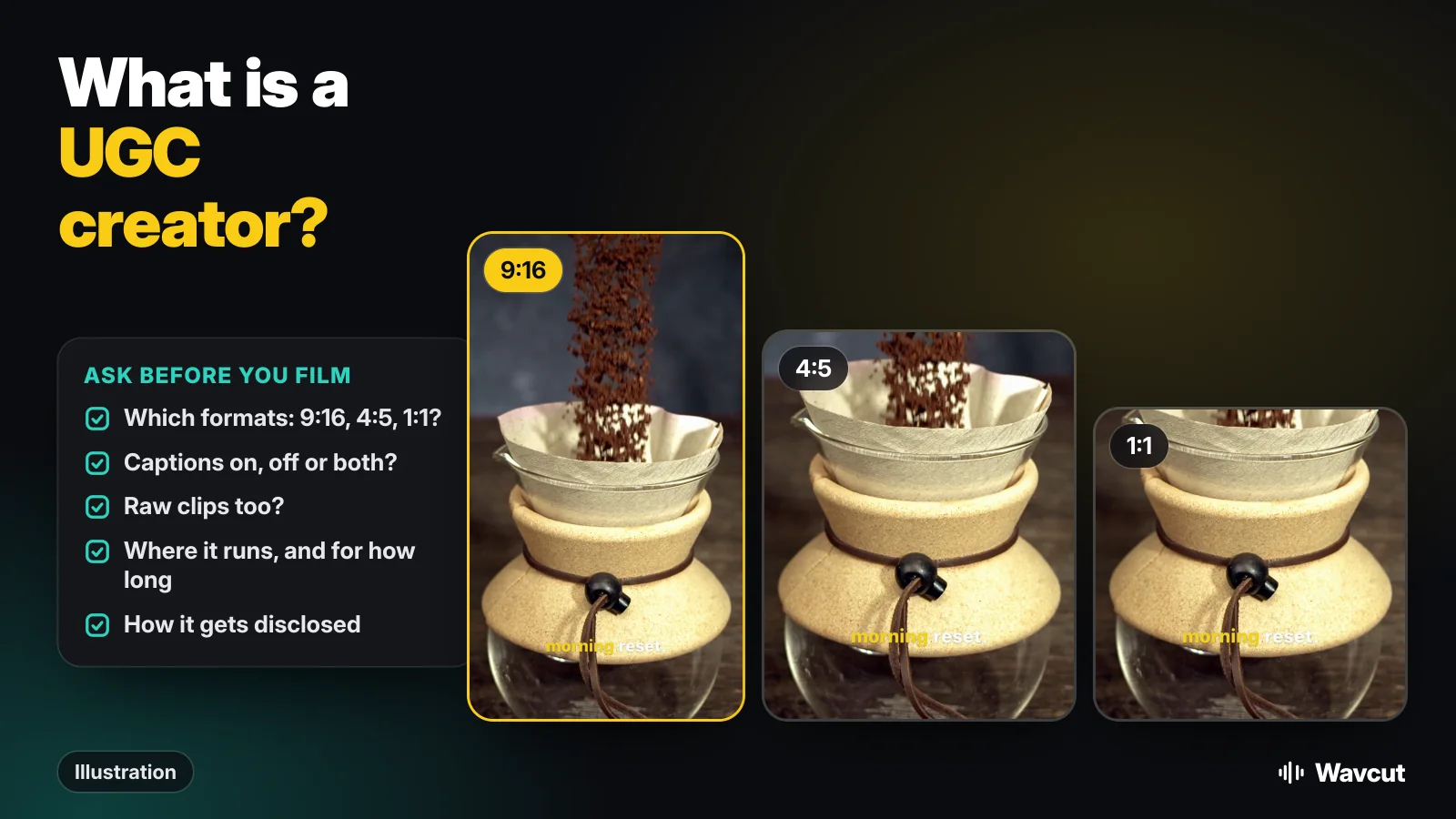
Most problems with UGC deals come from things nobody wrote down. This is the checklist in the picture at the top of this page:
- Formats. Which shapes: 9:16 for Reels and TikTok, 4:5 or 1:1 for feed placements, 16:9 for YouTube. Our aspect ratio calculator gives the pixel sizes.
- Captions. On, off, or one of each. If the brand adds its own text later, it will want the clean one.
- Raw clips. Whether the unedited takes are part of the delivery, and at what price.
- Usage rights. Where the video may run (organic posts, paid ads, a website) and for how long.
- Disclosure. Who adds it and how, as above.
- Revisions. How many rounds of changes the fee includes.
How do you film UGC on an iPhone?
Film it like a customer would, only cleaner. Hold the phone upright at eye level, face a window, record somewhere quiet and talk in short sentences with a breath between them. Film the product close up for a few seconds after each take; those clips cover the cuts later.
On supported models, iPhone records video in HDR. Apple notes that HDR videos are shared as HDR with devices running iOS 13.4, iPadOS 13.4, macOS 10.15.4 or later, while other devices receive an SDR version. If a brief asks for SDR footage, Apple's steps are: go to Settings > Camera > Record Video, then turn off HDR Video.
How do you edit UGC videos fast?
The edit is the same three jobs every time: cut the pauses, add captions, cover a few cuts with product shots. Then the brief multiplies it, with a captioned and a clean version in two or three shapes. Wavcut, our iPhone app, handles both parts.
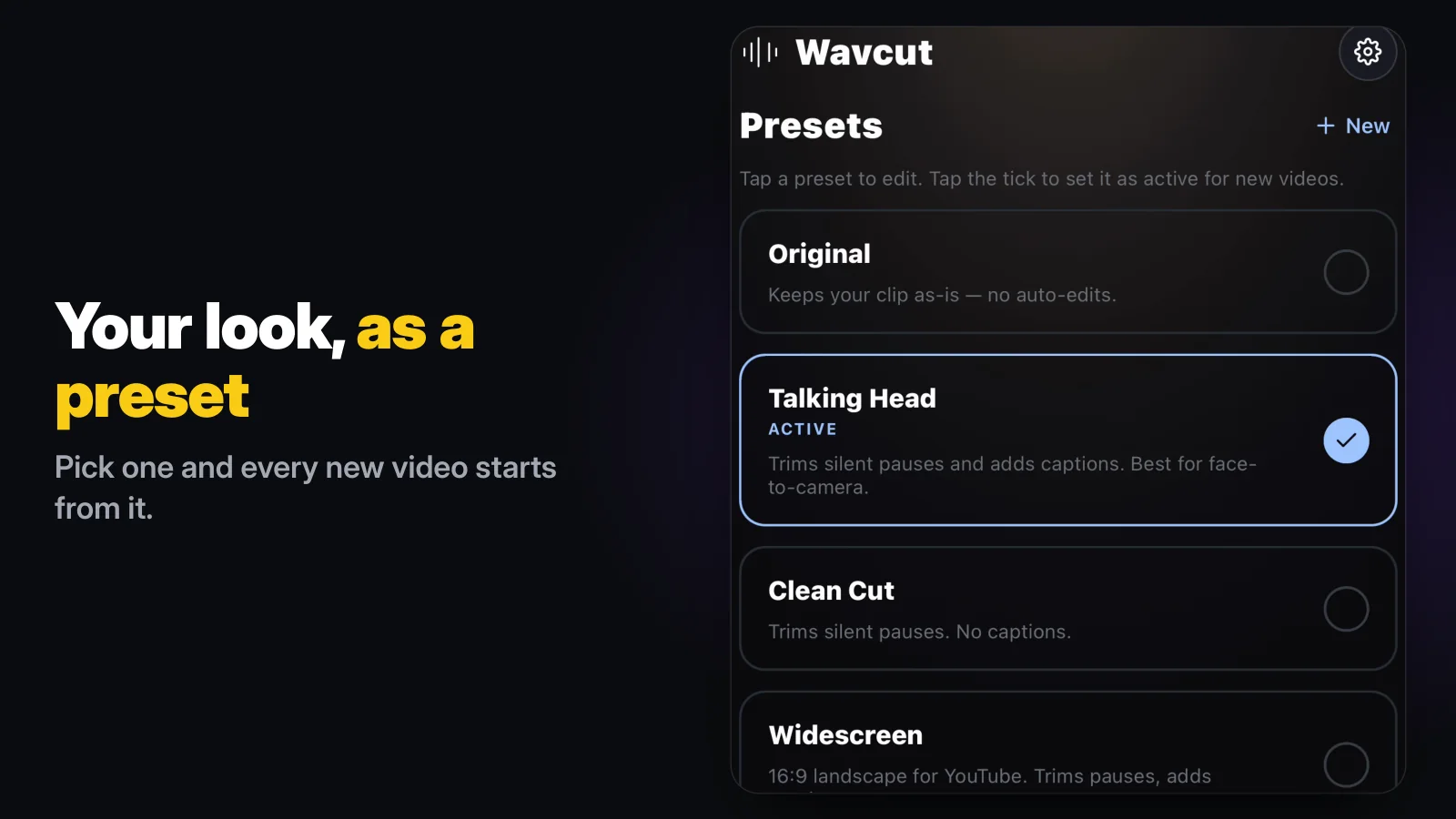
Every new video starts from a preset. The Talking Head preset cuts the silent pauses and adds captions; the Clean Cut preset cuts the pauses and adds no captions. Put the brand's product shots in a collection, add it to the preset, and the app places them over your take. So a captioned and a clean version are two projects from the same clip, and every cut stays on the timeline for the brand's notes.
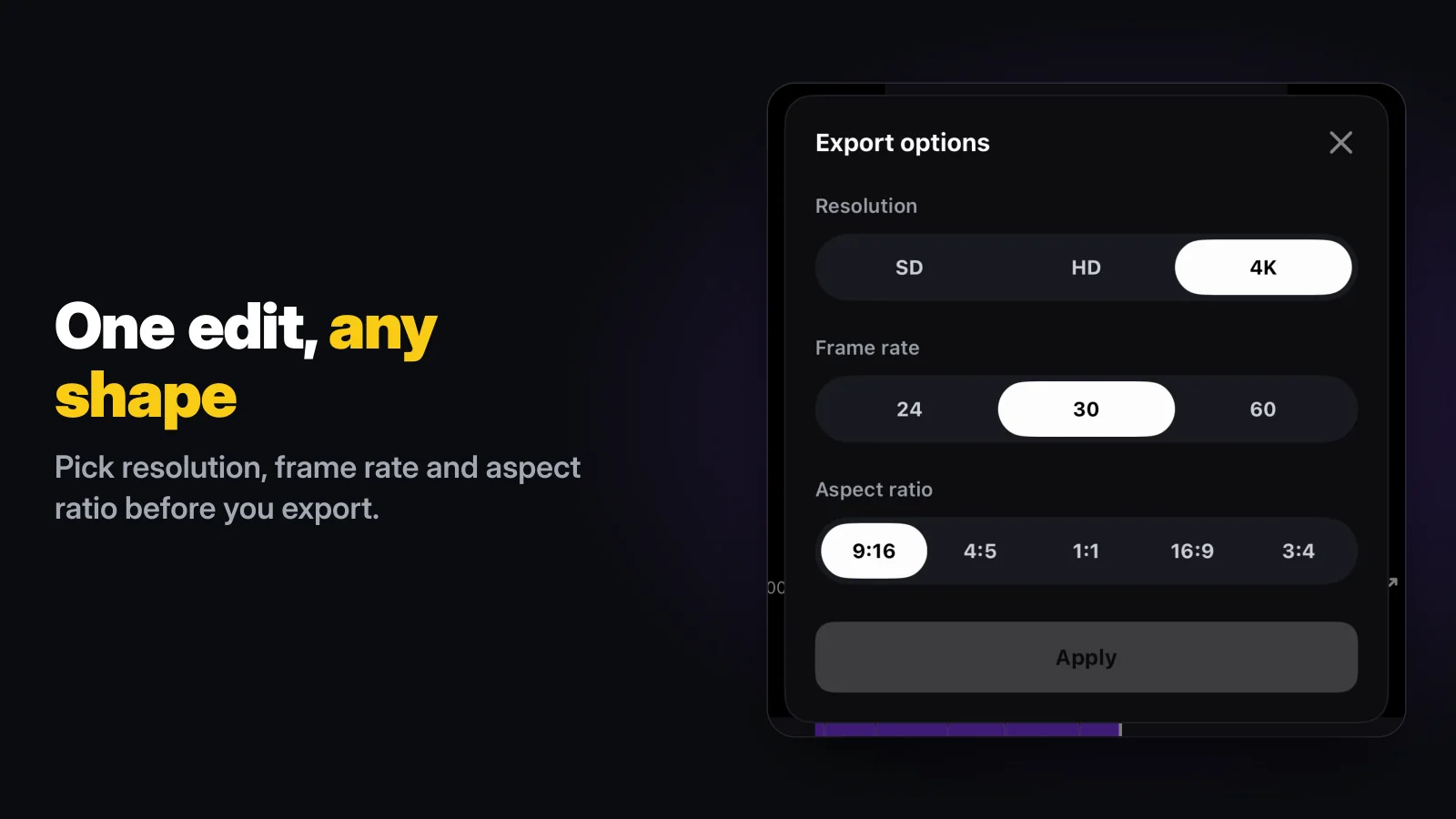
For the shapes, open Export options. You choose the resolution (SD, HD or 4K), the frame rate (24, 30 or 60) and the aspect ratio (9:16, 4:5, 1:1, 16:9 or 3:4), export, then change the ratio and export the same edit again.
The limits, before you rely on it for a client: Wavcut is iPhone-only for now and has no speed control. On Free, captions run on the phone for 3 videos a month, SD (720p) exports are clean and HD and 4K carry a watermark, so client work in 1080p or 4K needs Pro. Pro and Max send the clip's audio, not the video, for AI captions in 60+ languages. More on that setup on our page for UGC creators, and if you are comparing editors, see Wavcut vs CapCut.